
Hikvision Video Intercom Full Installation 2 Door Locks + 2 Indoor Screens Setup DS-KD8003-IME1
Join this channel to get access to perks: https://www.youtube.com/channel/UCupw078JKouoF-6ZjEsR5Bw/join In this video I show the full installation and setup of a Hikvision IP video intercom with 2 door locks (gate + main door) and 2 indoor touch screens, from wiring to final testing. 📦 EQUIPMENT USED • Door Station: Hikvision DS-KD8003-IME1 (modular, 2MP fisheye camera) • Keypad Module: Hikvision DS-KD-KP • Mounting frame: DS-KD-ACW2 (surface mount, 2 modules) • Indoor Stations (x2): Hikvision DS-KH6320-WTE1 (7" touch screen, Wi-Fi) • PoE Switch: Hikvision DS-3E0105P-E • 2 x electric door locks • Cat6 network cable ⏱️ CHAPTERS 00:00 Intro & what we're building 00:24 Equipment overview 00:52 Installing the indoor screens 01:50 Mounting the door station and keypad module 03:00 Wiring the 2 door locks (Door 1 / Door 2 relays) 03:28 Connecting the keypad (RS485) 04:08 Wiring the 2 door locks (Door 1 / Door 2 relays) 06:14 Network and PoE wiring 06:41 Activating devices and setting IP addresses 06:57 Linking the door station to both indoor stations 07:27 Configuring Door 1 / Door 2 unlock buttons 08:32 Setting Extension numbers (master + extension screen) 09:14 Testing calls, live view and unlocking both doors 🛒 BUY LINKS: 🔗 Hikvision Modular Door Station (Camera + Keypad): https://www.amazon.com/dp/YOUR_AFFILIATE_LINK 🔗 Hikvision 7-inch Indoor Touchscreen Monitor (DS-KH6320-WTE1): https://www.amazon.com/dp/YOUR_AFFILIATE_LINK 🔗 Hikvision 4-Port PoE Switch: https://www.amazon.com/dp/YOUR_AFFILIATE_LINK 🔗 Electric Strike Lock / Electromagnetic Lock (12V): https://www.amazon.com/dp/YOUR_AFFILIATE_LINK 🔗 Cat6 Ethernet Cable (Pure Copper): https://www.amazon.com/dp/YOUR_AFFILIATE_LINK --- 🔧 WHAT YOU WILL LEARN: ✅ Hikvision IP video intercom complete installation ✅ How to connect 2 independent door locks ✅ How to connect and configure 2 indoor monitors ✅ Outdoor station installation and wiring ✅ NO, COM and relay connections explained ✅ How to connect 12V DC power supplies ✅ Electric door lock wiring ✅ Sliding gate / automatic door connection ✅ Network cable and PoE connections ✅ Indoor monitor configuration ✅ Outdoor station configuration ✅ Door unlocking from both indoor monitors ✅ Complete testing and troubleshooting ⚠️ DISCLAIMER: Electrical and door lock wiring should be carried out carefully. Always ensure power is disconnected before connecting wires to avoiding short circuits or damage to the mainboard. If this video helped you, please LIKE, SHARE, and SUBSCRIBE for more CCTV and Access Control setup tutorials! #Hikvision #IntercomInstallation #VideoIntercom #AccessControl #SecuritySystem #SmartHome #hikconnect #Hikvision #Intercom #DS-KD8003 #DoorLock #cctv #networking #network #internet #access control #cctv camera #cable management #unbox #intercom #broadcast system #access point #electric door lock #wifi #HDMI #hard disk # internet switch management #time attendance # how to install
Suggested videos

How to Install & Configure 330 CCTV Cameras Dahua & Hikvision School Project 6× 64CH NVR Full Setup
Talk On Tech Solutions · 22:49
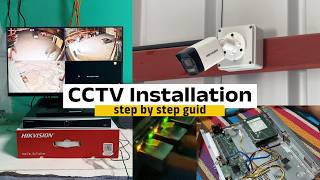
How to Install IP CCTV Camera & 16CH NVR cat6 Hikvision, Dahua & Multi-Brand Setup Guide #hikvision
Talk On Tech Solutions · 8:27

11/12/2026 (🌅AM) TRUMP TXWV NRES ROG IRAN,TAWM TSAM NATANYAHU,RUSSIA-URKAINE SIB TUA HNYAV, US-ASIA
TED VANG · 1:20:12

15 Smart Gadgets for Men Nobody Is Talking About
TechTrends · 13:15

Will VARA 4.9.1 Break Compatibility on January 1, 2027?
The Tech Prepper · 20:30

BITCOIN: JEENSEEENNN!!!!! (not again...)
Ivan on Tech · 48:58

How to Install Hikvision IP Camera System Complete CCTV Setup Network Cable Cat6 Tutorial #hikvision
Talk On Tech Solutions · 16:51

Apple HomeView Is Finally Here, But Should You Buy It?
Craig's Tech Talk · 22:52